Why I Started Using Local LLMs
January 2026: A Costly Wake-Up Call
It started with a GitHub issue that went viral in early January 2026.
Users of Claude Code started screaming: version 2.1.1 was eating through tokens 4x faster than before. Developers on the Max plan ($200/month) were hitting their 5-hour rate limits in under 70 minutes. Some reported that a single plan mode session drained 80% of their daily budget — before the assistant had even done anything useful.
The story got big enough to land on the BBC. Anthropic acknowledged the issue and called it their “top priority.” The root cause turned out to be a combination of bugs: a client-side cache regression that dropped cache hit rates to ~4%, causing around 20x token inflation per turn, plus undisclosed “peak-hour throttling” that Anthropic quietly added and then publicly admitted on X after enough backlash.
Fixes trickled in through versions 2.1.90 and 2.1.91. But by then, the trust was already shaken.
The Real Problem: You Can’t Control What You Don’t Own
The token bug was frustrating. But it pointed to something deeper.
When your entire development workflow runs through a single commercial AI provider, you’re accepting a bunch of risks that feel invisible while things are working — and very visible when they’re not:
Pricing you can’t predict. You pay per token, but you don’t know how many tokens a task will consume until after the fact. Bugs, internal changes, or “peak-hour adjustments” can silently multiply your bill.
Rules that can change overnight. Plans get restructured, models get deprecated, limits get tightened. That feature you depend on today might not exist tomorrow.
Your code leaves your machine. For personal side projects, that’s usually fine. But if you’re working on professional codebases — proprietary systems, client data, confidential architecture — every prompt you send is data leaving your hands.
Single point of failure. Outages happen. Throttling happens. If your workflow has no fallback, you’re stuck.
Local models won’t replace frontier AI for every task. On consumer hardware they’re slower, and for complex multi-step reasoning they can’t quite match the best cloud models. But for a huge chunk of everyday coding work — autocomplete, refactoring, explaining code, reviewing a diff — they’re genuinely good. And they give you something no cloud API can: full control.
Starting Simple: Ollama and LM Studio
The good news is that getting started with local LLMs has never been easier, thanks to two excellent tools.
Ollama — The Developer-Friendly CLI
Ollama is basically a package manager for LLMs. You install it, pull a model, and run it. That’s the whole workflow.
# Install (macOS/Linux)
curl -fsSL https://ollama.com/install.sh | sh

# Pull and run a model
ollama run llama3.2
It serves a local REST API that’s OpenAI-compatible, so any tool that supports OPENAI_BASE_URL can point at it with one environment variable. Instantly: Claude Code, OpenCode, Codex — all talking to your local model instead of the cloud. It supports a huge catalog of open-weight models: Llama, Qwen, Gemma, DeepSeek, Mistral and more. You pick the model that fits your hardware and use case.
LM Studio — The GUI-First Alternative
LM Studio takes a different approach. It’s a desktop app with a polished interface where you can browse, download, and run models without touching the terminal. Great if you want to experiment without committing to a setup.
Load a model, test it in the built-in chat, and flip a switch to expose it as a local OpenAI-compatible server. They’ve also recently added llmster, a headless CLI for running models on servers or in CI without a GUI.
# Install headless (macOS/Linux)
curl -fsSL https://lmstudio.ai/install.sh | bash
Both tools work out of the box — Ollama on port 11434, LM Studio on 1234 — and both speak the OpenAI API. That compatibility unlocks everything: your existing AI coding tools just work, pointed at your machine instead of the internet.
The Problem Nobody Mentioned: Speed
So I set up Ollama and LM Studio, got a few models running, connected my tools, and felt pretty good about myself. Local AI! Privacy! No bills!
Then I started comparing notes with others on social networks, and the grumblings were consistent: speed. Not outage speed or startup speed — token generation speed. The actual pace at which the model produces output.
Once you use local models for something active — writing code while you wait, iterating on a function, asking follow-up questions in a real workflow — you start to notice the latency. And when you dig into why, you find the same answer: both Ollama and LM Studio are built on top of llama.cpp, but they ship their own forked version of it. That fork doesn’t always stay in sync with upstream. New quantization support, backend optimizations, architecture updates — these all land in the main llama.cpp first, and slowly trickle into the wrappers, if they ever do.
The upshot: you’re not getting the full performance that the underlying engine is capable of.
Going to the Source: llama.cpp Directly
llama.cpp is the C/C++ reference implementation for LLM inference. It supports virtually every open model architecture, every quantization level from 1.5-bit to 8-bit, and every backend you could want — CUDA for NVIDIA, Metal for Apple Silicon, ROCm for AMD, Vulkan for everything else. Over 5,000 releases, thousands of contributors. It is the engine that most of the local LLM ecosystem is built on.
Running it directly gives you fine-grained control over the parameters that actually matter for your hardware: GPU layers offloaded, context size, batch size, thread count. The difference between tuning these correctly and leaving them at defaults is often the difference between a model that crawls and one that feels snappy.
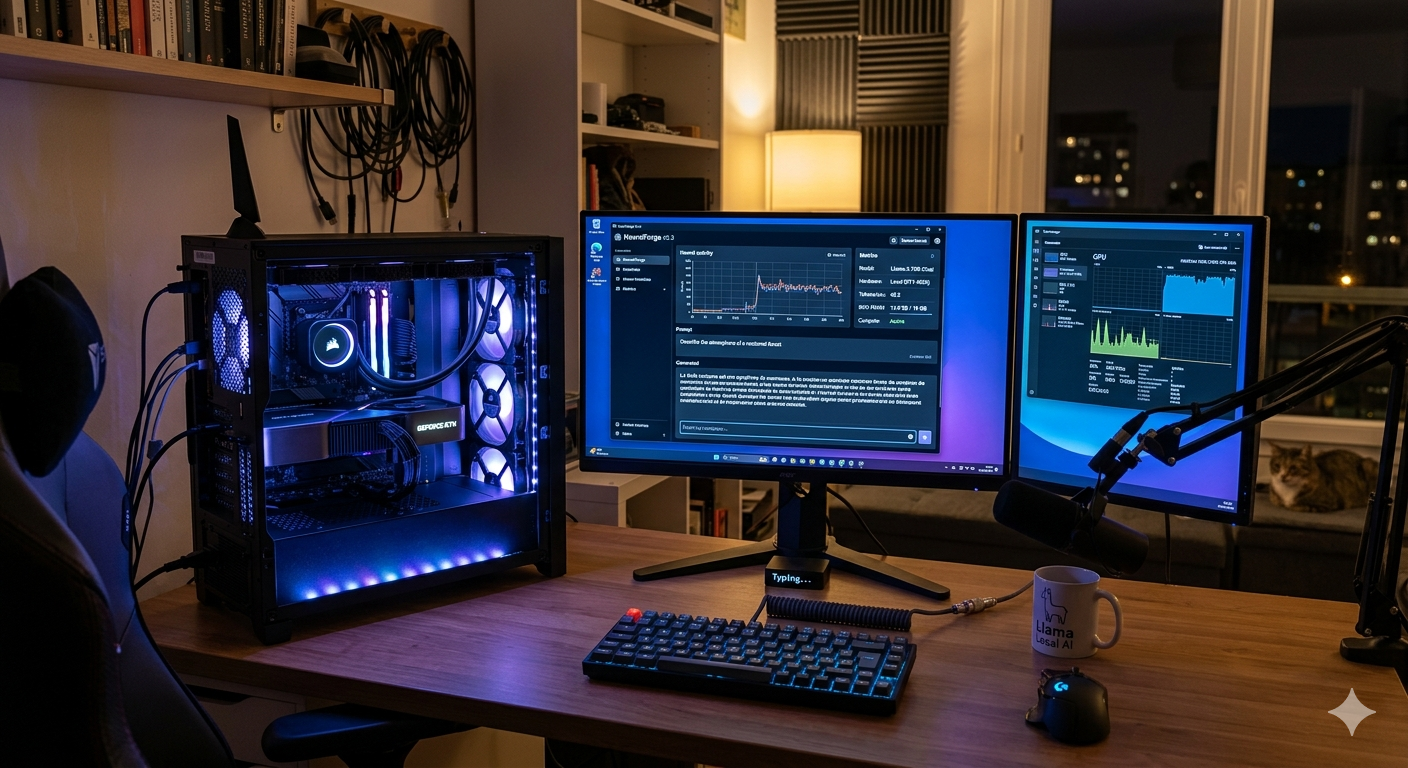
On my machine — a gaming PC with an RTX 5080 — it also meant compiling from source with CUDA, since pre-built binaries don’t always cover the latest GPUs:
git clone https://github.com/ggml-org/llama.cpp
cd llama.cpp
cmake -B build -DGGML_NATIVE=ON -DGGML_CUDA=ON
cmake --build build --config Release -j$(nproc)
Not a big deal, but it’s a step Ollama and LM Studio handle for you. Fair trade.
The catch with llama.cpp is developer experience: you’re managing raw CLI flags and processes with no UI, no config persistence, no way to quickly switch between model setups. It is powerful and annoying in equal measure.
My Hardware vs. Everyone Else’s
Here is something that took me a while to notice: most local LLM benchmarks and recommendations are written for hardware that most developers don’t own.
Browse Reddit or X discussing local models and you’ll mostly see two setups: Apple M5 Max with 64 GB+ of unified memory, or an NVIDIA RTX 3090 with 24 GB of VRAM. Both are fantastic for running large models without compromise. Unified memory means the GPU and CPU share the same pool; 24 GB of VRAM means you can load big models and still have plenty left over.
I have a gaming PC with an RTX 5080 — 16 GB of VRAM. Great GPU, but the 8 GB gap from a 3090 has real consequences.
Here’s the problem: when you load a model, the weights take up most of the VRAM first. A decent 14B parameter model at Q4 quantization sits around 8–9 GB. That leaves only 6–7 GB for the KV cache — the data structure that stores the context and attention state for your conversation. As soon as your context grows (which it will, in any real coding session), the KV cache overflows VRAM and spills to system RAM, accessed over the CPU memory bus.
The bandwidth gap is enormous. GDDR7 on the RTX 5080 delivers over 960 GB/s. DDR5 system RAM peaks around 50 GB/s. That’s a 20x difference. Every token generated while the KV cache is in RAM pays that cost. You feel it.
ik_llama.cpp: Made for This Exact Problem
Standard llama.cpp handles partial GPU offload, but it’s not specifically optimized for the split where model weights sit on the GPU while the KV cache lives in system RAM. That’s a very common situation for anyone with 16 GB VRAM and it deserves better treatment.
While looking for solutions, I found ik_llama.cpp — a fork maintained by ikawrakow, one of the core llama.cpp contributors. The entire focus of this fork is better CPU and hybrid GPU/CPU inference performance, with first-class support for exactly my situation.
The features that helped most:
- Tensor overrides to explicitly control which layers live on GPU vs. CPU
- Quantized KV cache options (
Q8_KVand lower) to shrink the cache footprint inside VRAM - Heavily optimized operations specifically for the hybrid inference path
- CUDA support for Turing and newer GPUs (RTX 5080 included)
Same build process as llama.cpp:
git clone https://github.com/ikawrakow/ik_llama.cpp
cd ik_llama.cpp
cmake -B build -DGGML_NATIVE=ON -DGGML_CUDA=ON
cmake --build build --config Release -j$(nproc)
Running the same models I’d been testing on standard llama.cpp, the switch to ik_llama.cpp gave me roughly +10% token generation speed — same model, same quantization, same context size. That improvement comes entirely from how the fork handles the GPU/CPU memory split. Not huge in absolute terms, but real and measurable.
Building the Missing Interface: local-llm-manager
At this point I had good inference performance, but the workflow was still painful. Switching between models, tweaking flags, remembering which configuration worked best for which model — all done manually in a terminal. Not great.
Going back to Ollama or LM Studio wasn’t the answer either. They abstract away exactly the control that makes ik_llama.cpp useful.
So I built local-llm-manager — a TUI (terminal user interface) that wraps the real llama-server binary directly, whether that’s upstream llama.cpp or ik_llama.cpp. No forks, no abstraction layers, just a usable interface over the actual engine.
The idea: get the full GGUF compatibility and raw performance of llama.cpp, without memorizing flags or babysitting processes. The TUI lets you search and download models, configure launch parameters, and start the server. Since it wraps llama-server directly, you can try different configurations against the same model and quickly find what actually performs best on your hardware.
It’s a two-package monorepo:
| Package | What it does |
|---|---|
@thomasrumas/llm-manager | Interactive TUI — install llama.cpp, search & download models, configure and launch llama-server, monitor it live |
@thomasrumas/llm-client | Thin CLI — launch and control models running on a remote machine over your local network |
# Install and launch the TUI
npm install -g @thomasrumas/llm-manager
llm-manager

# Optional: run as a background service
llm-manager service install
llm-manager service start
The result: same OpenAI-compatible API endpoint as Ollama or LM Studio, so all your existing tool configurations keep working — but backed by the upstream binary with your tuned flags.
OK But Does It Actually Work? Terminal Bench 2.0
Having a fast, well-configured local stack is satisfying. But I needed to know whether the models running on it are actually useful for agentic coding — not just “it answered my question”, but “can it autonomously complete real engineering tasks?”
For that I needed a real benchmark. I picked Terminal Bench 2.0 — currently one of the toughest coding evaluations out there. It’s a suite of 100 tasks where an AI agent has to solve real terminal-based engineering problems autonomously, each verified by an automated test suite. The reference point: Claude Sonnet 4.5 scores around 40% across all 100 tasks with 5 trials, using Claude Code as the agent.
Running 100 tasks per model per configuration would take forever locally, so I narrowed it down: Terminal Bench categorizes tasks, and I kept only the 26 software engineering tasks — the ones most directly relevant to my use case.
I built a dedicated DevContainer for running these evaluations to keep everything isolated and reproducible. It includes a run_tasks.py script to run tasks in sequence or in parallel, and parse_results.py to generate a detailed JSON report with scores, timing, and per-test breakdowns.
First Test: OmniCoder 9B
My first candidate was OmniCoder-9B from Tesslate — a 9B model fine-tuned specifically for agentic coding on top of Qwen3.5-9B. It’s purpose-built for multi-step, tool-using workflows, which is exactly what Terminal Bench tests.
Hardware-wise it’s a perfect fit for my setup. At Q4_0 quantization (~6 GB), it loads entirely into the RTX 5080’s VRAM with room left for the KV cache — no spillover to system RAM. With a 256k token context and ik_llama.cpp on CUDA, I got 140 tokens/second on output generation.
That speed matters in an agentic loop. A task involves many back-and-forth turns between the model and the tools it calls. At 140 t/s, the model is fast enough that the bottleneck shifts from inference to the actual tool execution — exactly where you want it.
The Score, and Why I Built My Own Metric
The official Terminal Bench score on the Software Engineering category came out at 7.7%. Low — but misleading.
The official scoring is all-or-nothing: a task passes only if every single sub-test passes. But many tasks have 3–7 sub-tests, and a model can nail 80% of them and still score zero. build-pmars passed 3 of 4 tests (75%). cancel-async-tasks passed 5 of 6 (83%). git-leak-recovery passed 4 of 5 (80%). None of these count in the official tally.
That doesn’t feel right. Passing most of a hard task is not the same as completely failing it. So I defined my own Pass Rate metric: the raw proportion of individual test cases that passed across all tasks, with a threshold-based classification — full success at 100%, partial at ≥75%, failure below that.
By that measure, OmniCoder 9B with standard Claude Code scored 32.3% Pass Rate (2 successes, 3 partials, 21 failures). All results are published on my benchmarks page.
The Agent Configuration Also Matters
While digging into the Terminal Bench leaderboard, I noticed something interesting: the same model can score very differently depending on how the agent around it is configured. So I ran a second test.
Same OmniCoder 9B, same hardware, same tasks — but this time I replaced the default Claude Code setup with Everything Claude Code, a popular repository of rules, skills, hooks, and agent configurations designed to improve how Claude Code reasons and uses tools.
Terminal Bench score: 7.7% → 11.5%. Pass Rate: 32.3% → 36.6%.
The improvement matters less than what changed at the task level. Some tasks that had failed now succeeded. Some that had passed now failed. Same model, same hardware, same framework — only the agent configuration changed. fix-git, cobol-modernization, pypi-server: all three flipped between success and failure depending on the run.
The lesson: when you evaluate a local model for agentic use, you’re not just evaluating the model. You’re evaluating the model plus the instructions and scaffolding around it. Changing one variable at a time is the only way to understand what’s actually driving results.
A Hypothesis: What If the Model Thinks Like the Agent?
After the OmniCoder experiments, a question kept nagging at me: Claude Code is built by Anthropic and optimized to work with Anthropic’s models. Its planning style, the way it structures tool calls, how it breaks down problems — all of that mirrors the reasoning habits of Claude. So what would happen if I used a local model that had been trained to reason exactly that way?
That’s what led me to Qwopus3.5-9B-v3 by Jackrong — a developer with a passion for distilling reasoning from frontier models into smaller ones. Qwopus takes Qwen3.5-9B as its base and fine-tunes it via SFT + LoRA to internalize the structured reasoning habits of Claude Opus: step-by-step decomposition, explicit self-checking, tight analytical structure.
The goal, as Jackrong describes in his training guide, was not just accuracy, but how the model reasons: shorter, more stable reasoning chains that reach correct answers more reliably. On HumanEval, Qwopus3.5-9B-v3 hits 87.8% pass@1 versus 82.9% for the base Qwen3.5-9B — a real improvement, achieved with 25% shorter reasoning chains.
On my hardware, it’s the same story as OmniCoder: same Qwen3.5-9B base, same 9B parameters, same GGUF quantizations (~6 GB at Q4_0). Fits entirely in VRAM, no KV cache spillover, comparable inference speed. Nothing different except the reasoning inside.
The Result: 34.6% — Four Times Better
Same 26 tasks. Same Claude Code agent. Same evaluation setup. Just a different “model”.
Qwopus3.5-9B-v3 scored 34.6% on Terminal Bench with a 50.5% Pass Rate — 9 full successes, 0 partials, 17 failures.
Compare that to OmniCoder 9B with the same configuration: 7.7% Terminal Bench, 32.3% Pass Rate, 2 successes. Qwopus achieves more than four times the official score, and where OmniCoder scraped partial results, Qwopus often got clean passes.
The gap is widest on tasks that require planning before acting — the kind where you need to think through the approach before touching the keyboard. headless-terminal (7/7, 100%), prove-plus-comm (4/4, 100%), cancel-async-tasks (6/6, 100%): all full passes for Qwopus, all fails or partials for OmniCoder.
The hypothesis held up: a model trained to reason like Claude pairs measurably better with Claude Code, even at 9B parameters. That’s a pretty fascinating result.
So… Is It Actually Useful?
Benchmarks are a useful compass, but they’re not the whole picture. Nothing tells you more than using a model on your own actual work.
My honest take after spending time with both models: Qwopus-9B and OmniCoder-9B sit somewhere between Claude Sonnet 3.5 and Claude Sonnet 4.5 for everyday web development — TypeScript, Python, building APIs, refactoring, reviewing code. They’re fast, they’re capable, and they cost nothing to run.
The one real caveat: you can’t vibe code with local models. Frontier models are forgiving. They fill in the gaps when your prompt is vague, infer what you probably meant, and recover gracefully from ambiguity. A local 9B model doesn’t have that same margin. You need to know what you want, how you want it, and you need to be explicit — good system prompts, clear constraints, defined rules.
That’s a higher bar, no question. But it’s also a useful discipline. Being forced to be precise about what you want from an AI makes you think harder before prompting, which tends to produce better outcomes regardless of which model you use.
Where I’m Taking This Next
The full stack is now in place: ik_llama.cpp compiled with CUDA for the RTX 5080, managed through local-llm-manager, benchmarked against the 26 Terminal Bench software engineering tasks, with all results published live on the benchmarks page.
Two models down. The biggest surprise so far: the difference between them — same hardware, same agent, same tasks — is almost entirely explained by how they reason, not what they know. That’s the most interesting finding from this whole exercise.
Next up: bigger models that push past the 16 GB VRAM limit and need the hybrid GPU/CPU path. I’m curious to see where that ceiling actually bites.
The January crisis was a useful nudge. I was never trying to go fully off-grid from cloud AI — just to stop being entirely dependent on one provider. Having a fast, private, always-on local setup changes what that dependency costs you, and what leverage you actually have.